Figures & diagrams
A small chart language for Oruntak Notes: warm paper, quiet ink, and enough context to read a figure without guessing.
A chart is a note with a shape. It should make a comparison easier while leaving the reader enough context to check what the marks mean.
These examples use invented illustrative values for demonstration only. They do not represent observed results.
The page rules
- Use sage, teal, and terracotta ink on warm paper. Keep the same readable Roboto Slab treatment across titles, labels, and notes.
- Name the source, units, time window, and scale near the figure. A reader should not have to infer the denominator or the zero point.
- Show uncertainty when it matters. Label ranges as illustrative; an interval here is a visual range around a point estimate, not a statistical confidence interval.
- Design for access: keep text legible, use patterns or direct labels where useful, and never make color the only way to distinguish a series.
- Prefer a modest claim that the marks support. A tidy chart is not evidence of a stronger conclusion.
Charts and illustrated figures
01 · Two paths from the same start
Use a line when order and change over time are the point. Add the date or sequence, unit, source note, and a direct label for each path.
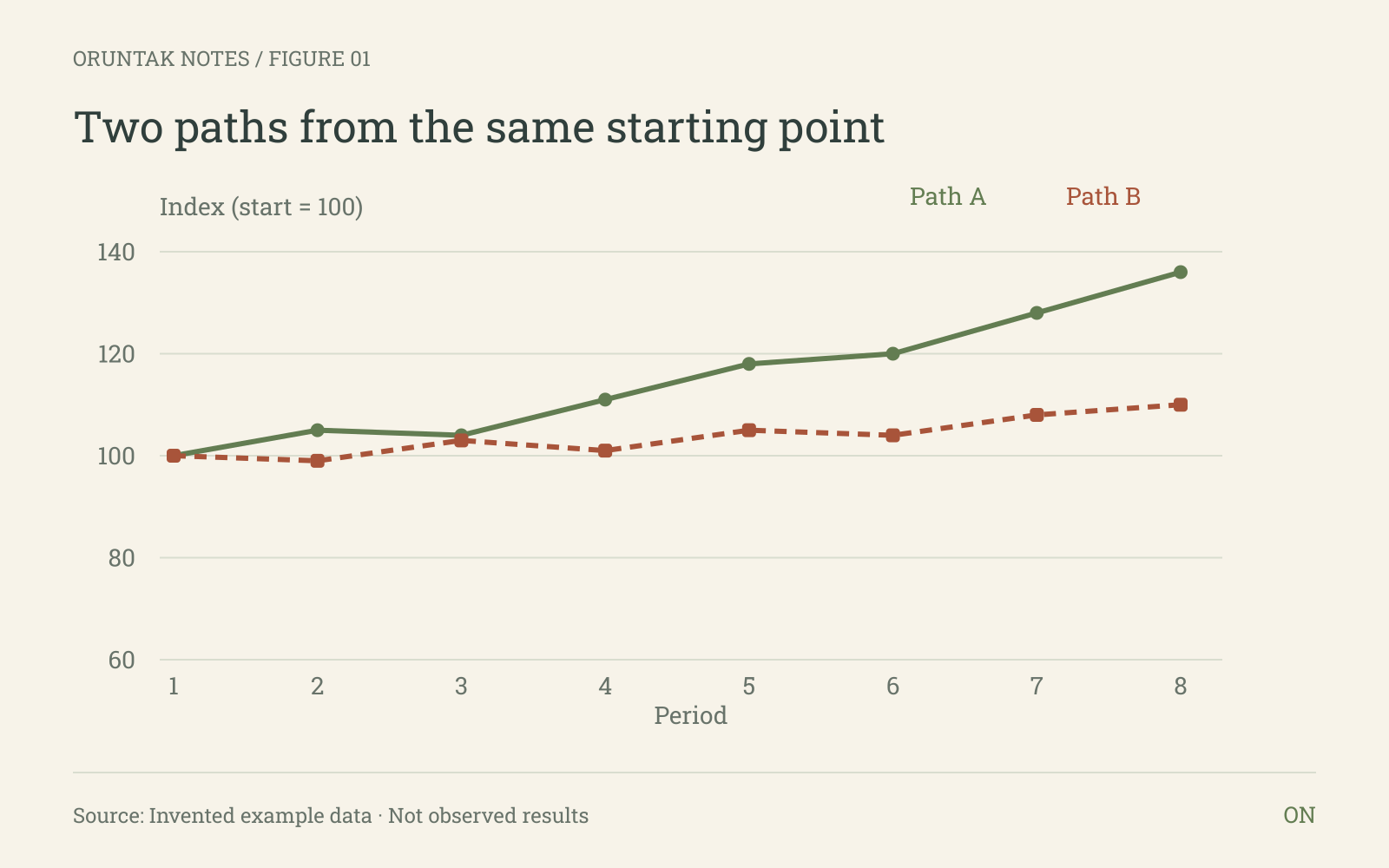
Figure data
| Period | Path A | Path B |
|---|---|---|
| 1 | 100 | 100 |
| 2 | 105 | 99 |
| 3 | 104 | 103 |
| 4 | 111 | 101 |
| 5 | 118 | 105 |
| 6 | 120 | 104 |
| 7 | 128 | 108 |
| 8 | 136 | 110 |
02 · Five categories, one glance
Use bars for a clear comparison across named categories. A horizontal layout gives longer labels room to breathe.
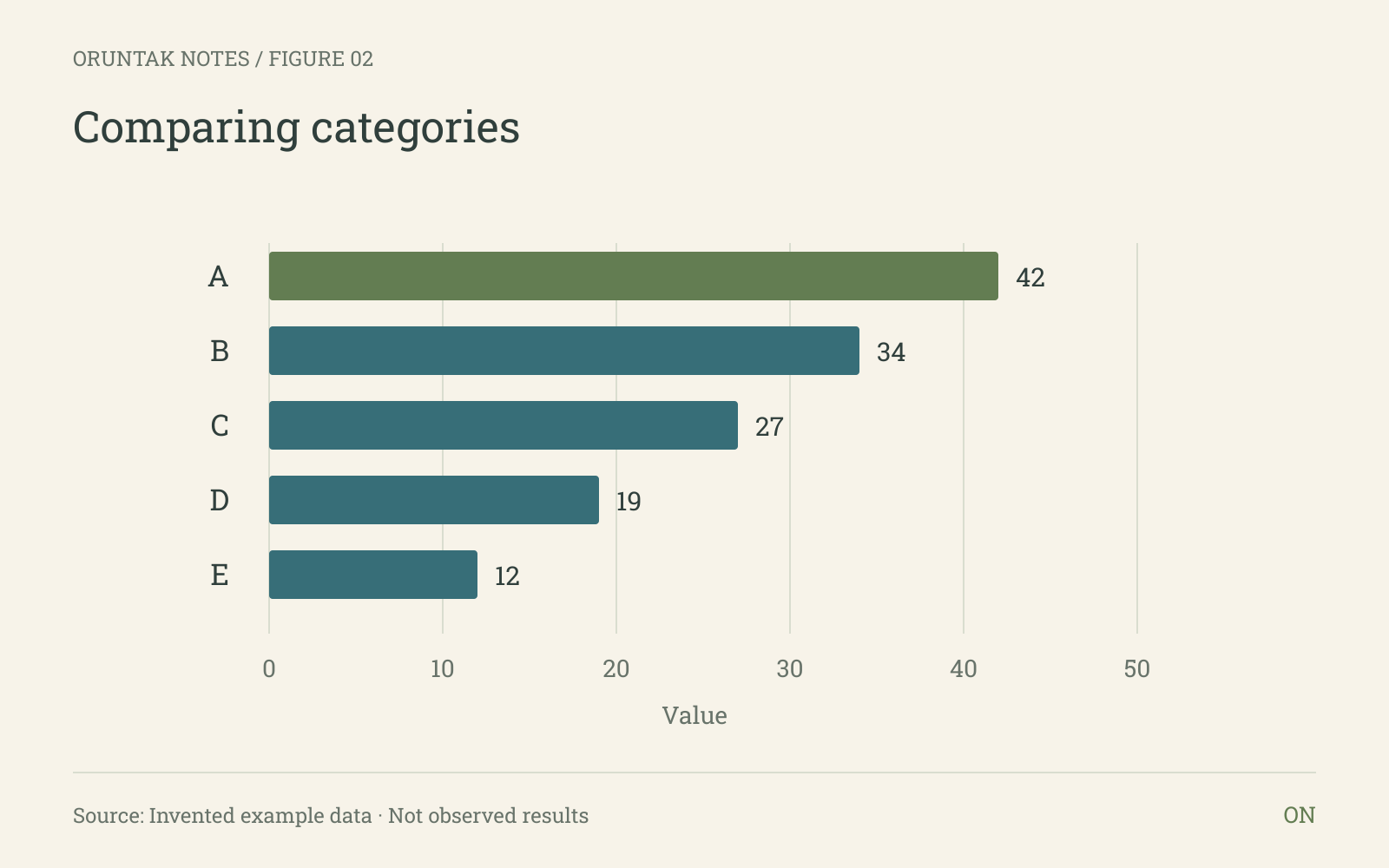
Figure data
| Category | Value |
|---|---|
| A | 42 |
| B | 34 |
| C | 27 |
| D | 19 |
| E | 12 |
03 · Hours and scores, cautiously read
Use a scatter plot for paired observations. State the unit, sample definition, source, and what the plot cannot tell us before describing a pattern.
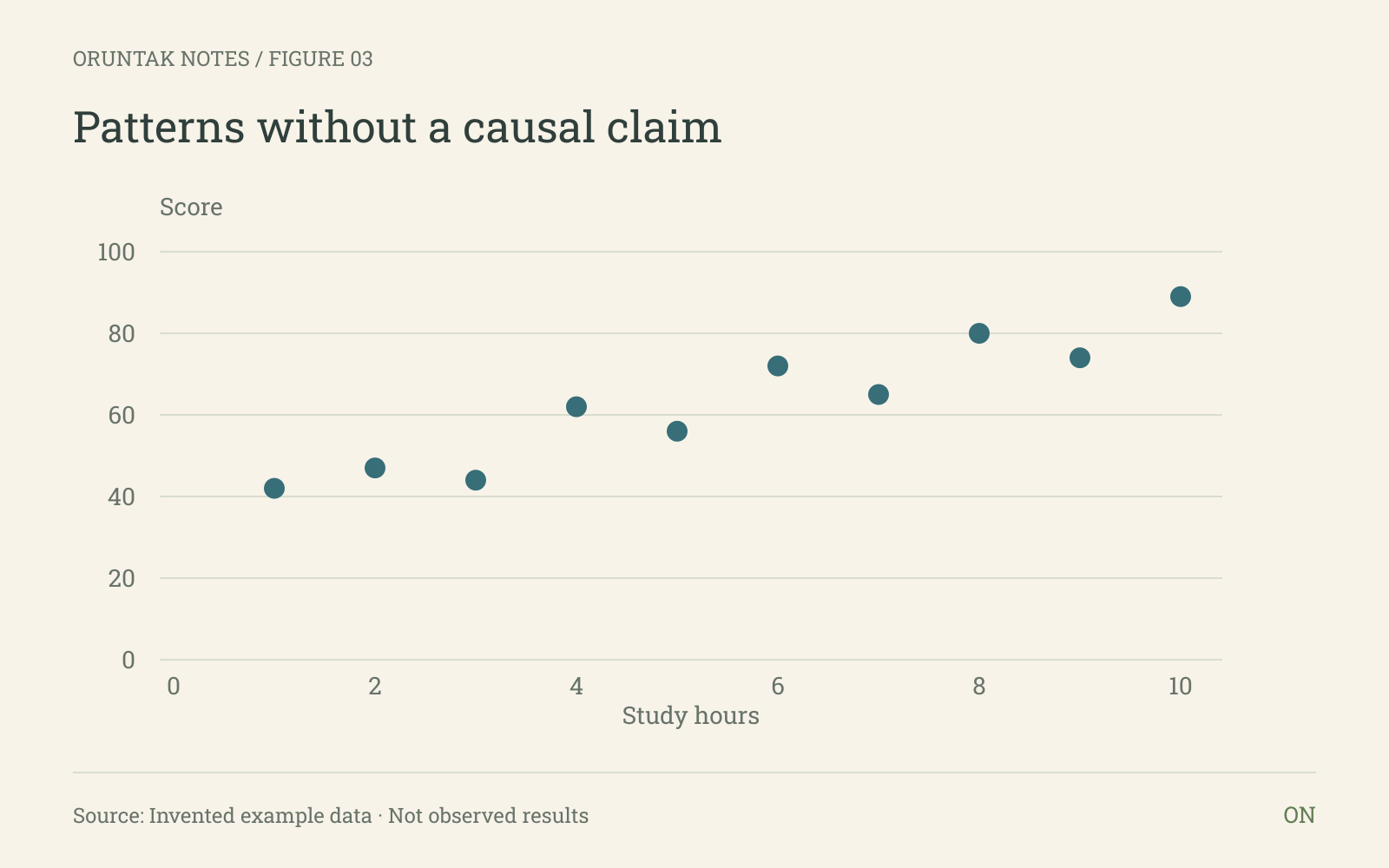
Figure data
| Study hours | Score |
|---|---|
| 1 | 42 |
| 2 | 47 |
| 3 | 44 |
| 4 | 62 |
| 5 | 56 |
| 6 | 72 |
| 7 | 65 |
| 8 | 80 |
| 9 | 74 |
| 10 | 89 |
04 · A distribution in five equal bins
Use a distribution view when the spread and concentration matter more than one summary number. Explain bin width and mark missing or excluded values.
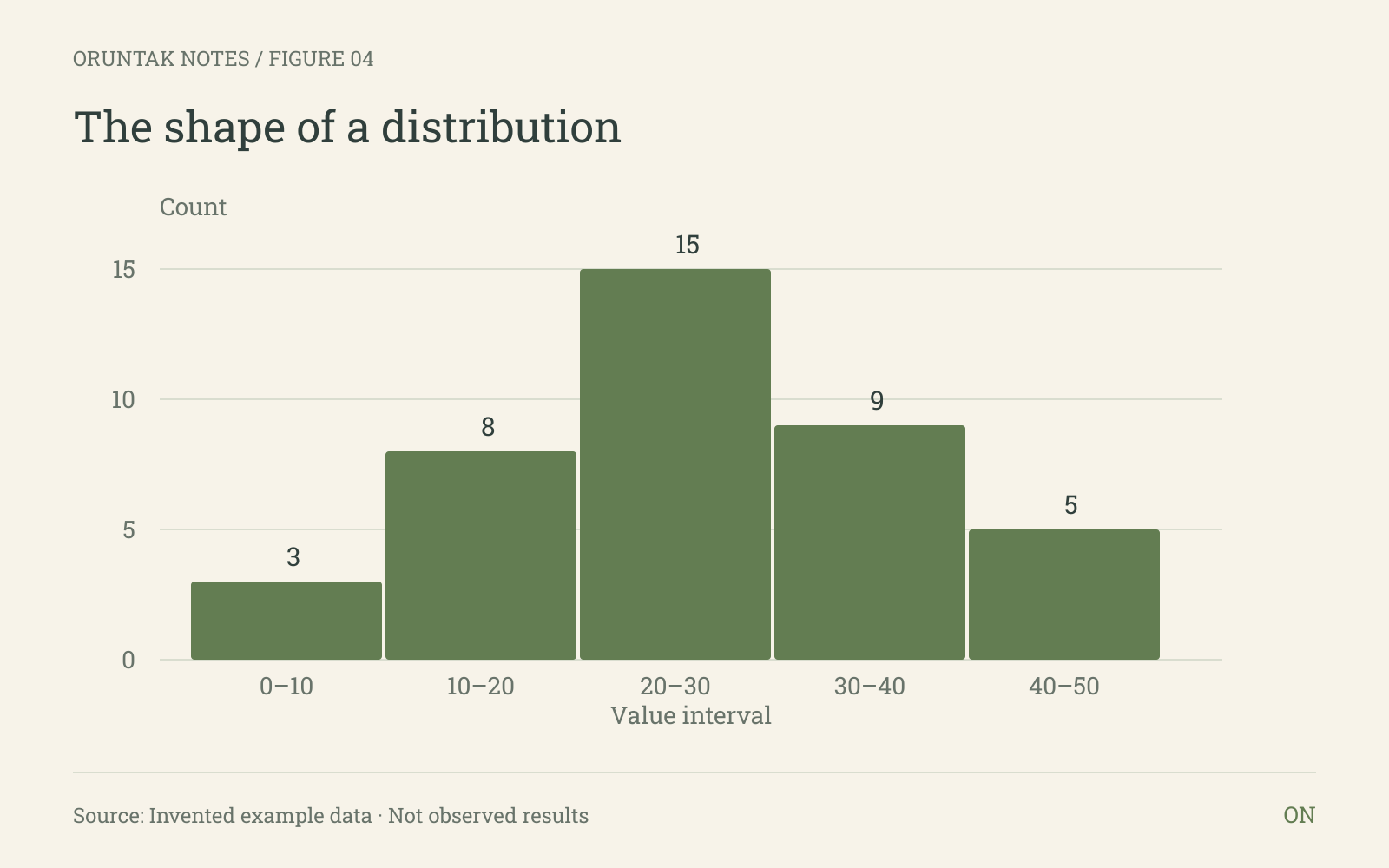
Figure data
| Interval | Count |
|---|---|
| 0–10 | 3 |
| 10–20 | 8 |
| 20–30 | 15 |
| 30–40 | 9 |
| 40–50 | 5 |
05 · Weekday by time block
Use a heatmap for a grid of repeated counts. Include row and column labels, the scale direction, and a note about the counting rule.
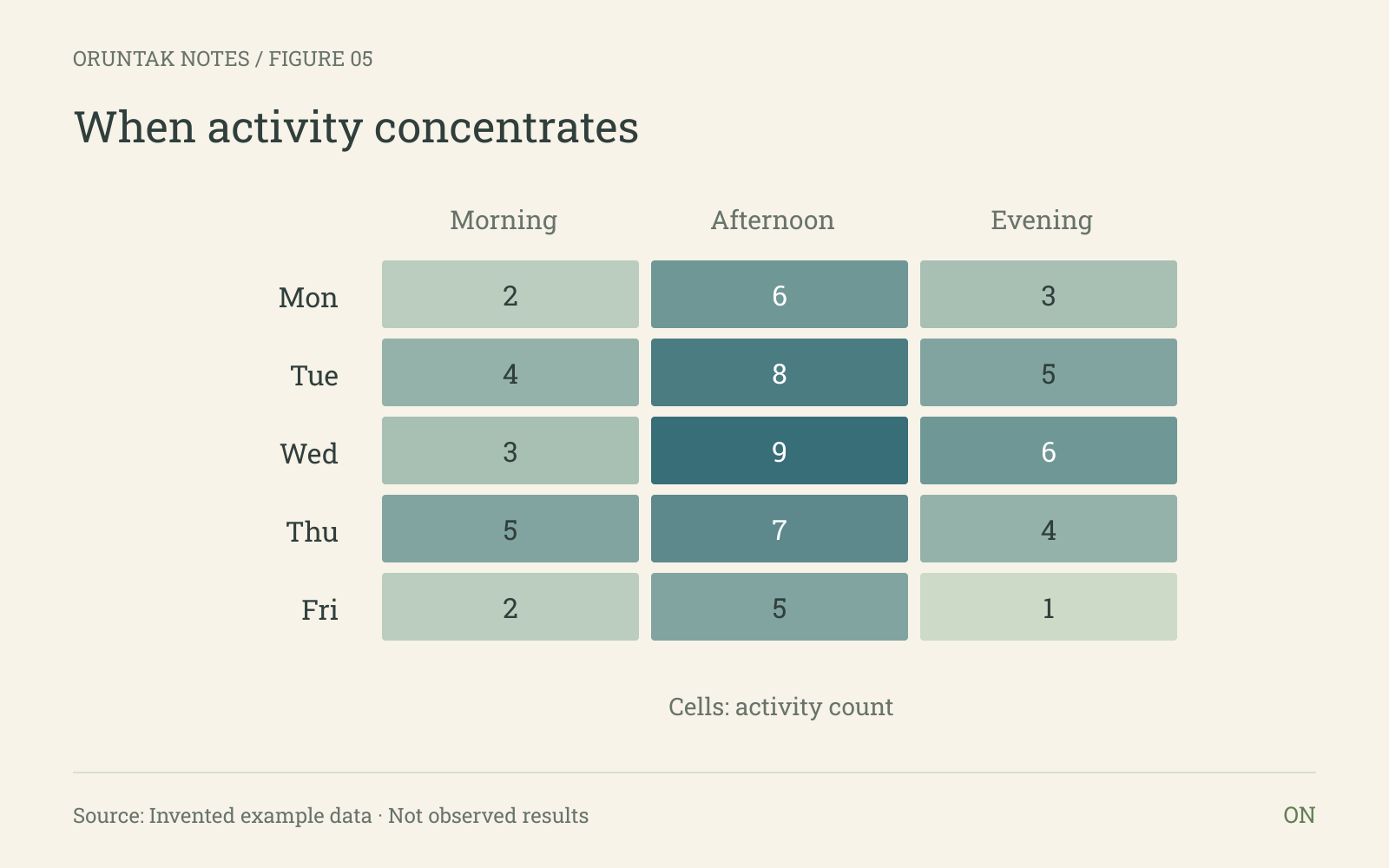
Figure data
| Day | Morning | Afternoon | Evening |
|---|---|---|---|
| Mon | 2 | 6 | 3 |
| Tue | 4 | 8 | 5 |
| Wed | 3 | 9 | 6 |
| Thu | 5 | 7 | 4 |
| Fri | 2 | 5 | 1 |
06 · Composition at 100%
Use a 100% stacked bar when parts of a whole are the question. Keep the groups aligned and identify the denominator and period.
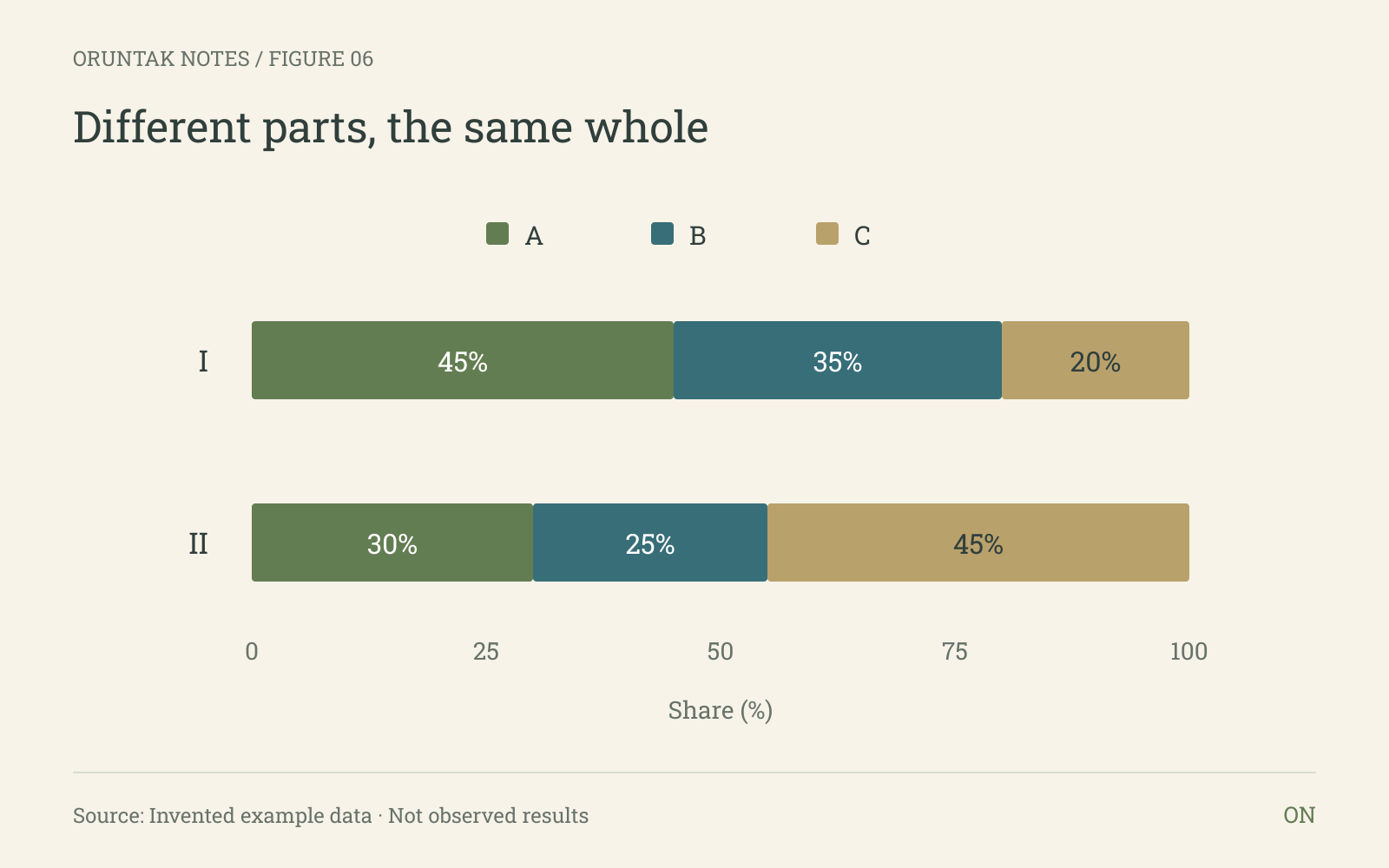
Figure data
| Group | A (%) | B (%) | C (%) |
|---|---|---|---|
| I | 45 | 35 | 20 |
| II | 30 | 25 | 45 |
07 · Point estimates with ranges
Use intervals when a single estimate needs its defined range beside it. Define the range and its source before asking the reader to compare widths.
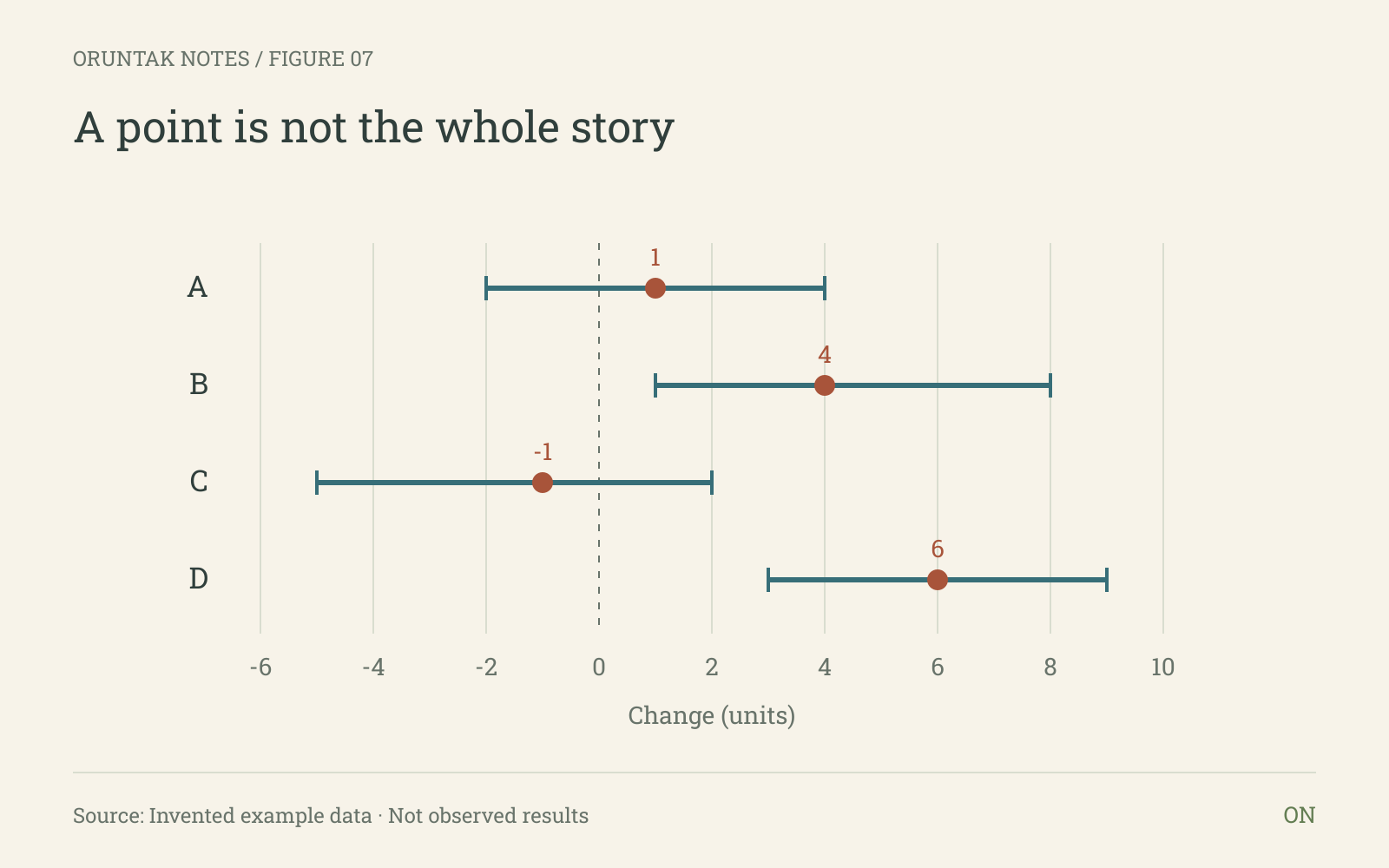
Figure data
| Scenario | Low | Estimate | High |
|---|---|---|---|
| A | -2 | 1 | 4 |
| B | 1 | 4 | 8 |
| C | -5 | -1 | 2 |
| D | 3 | 6 | 9 |
08 · From question to note
Use the flow when a reader needs the making-of context. Keep each step concrete and finish with the source, units, scale, and uncertainty note.
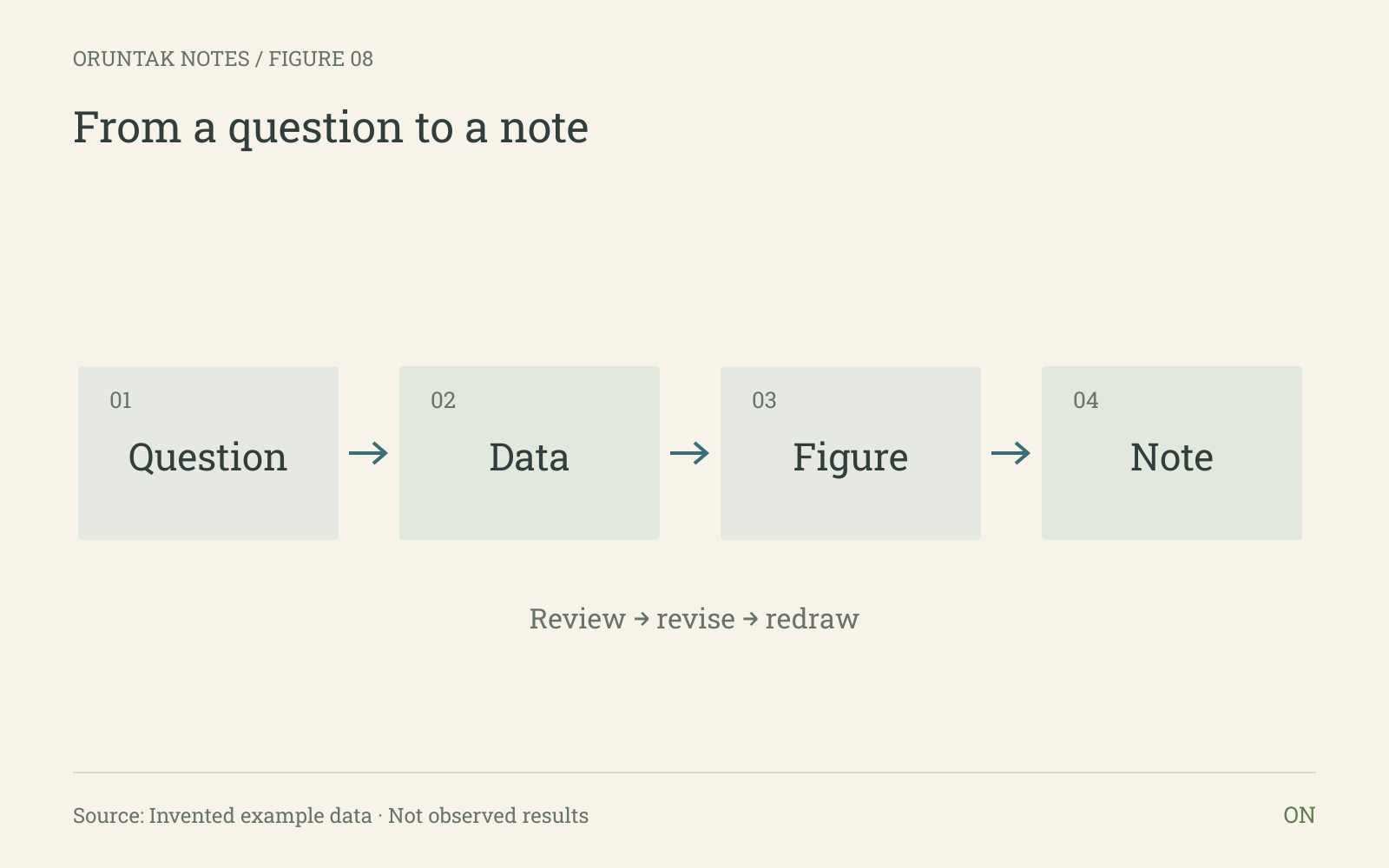
Figure data
| Step | Stage |
|---|---|
| 1 | Question |
| 2 | Data |
| 3 | Figure |
| 4 | Note |
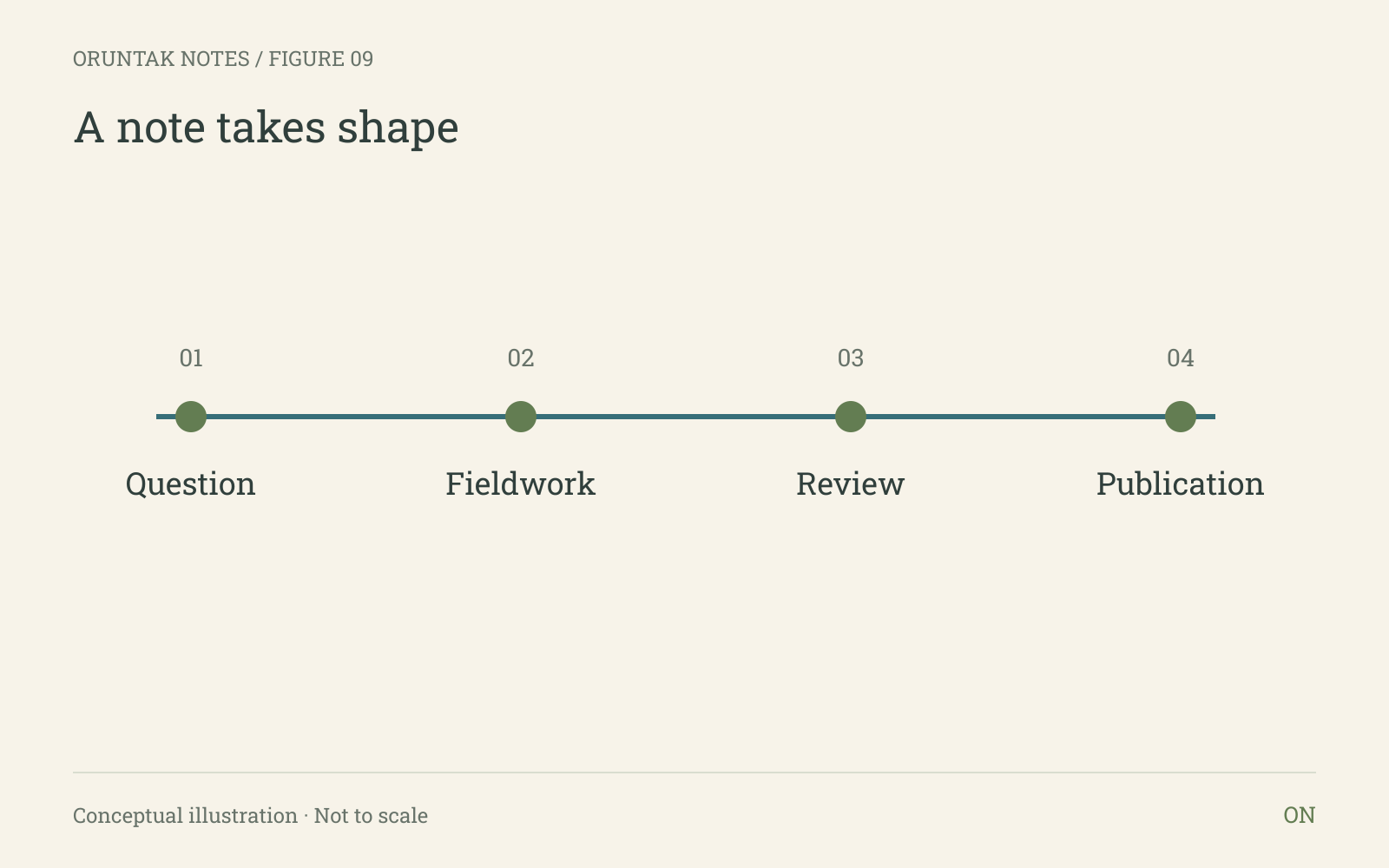
09 · A note takes shape
Use a timeline to explain stages and their order.
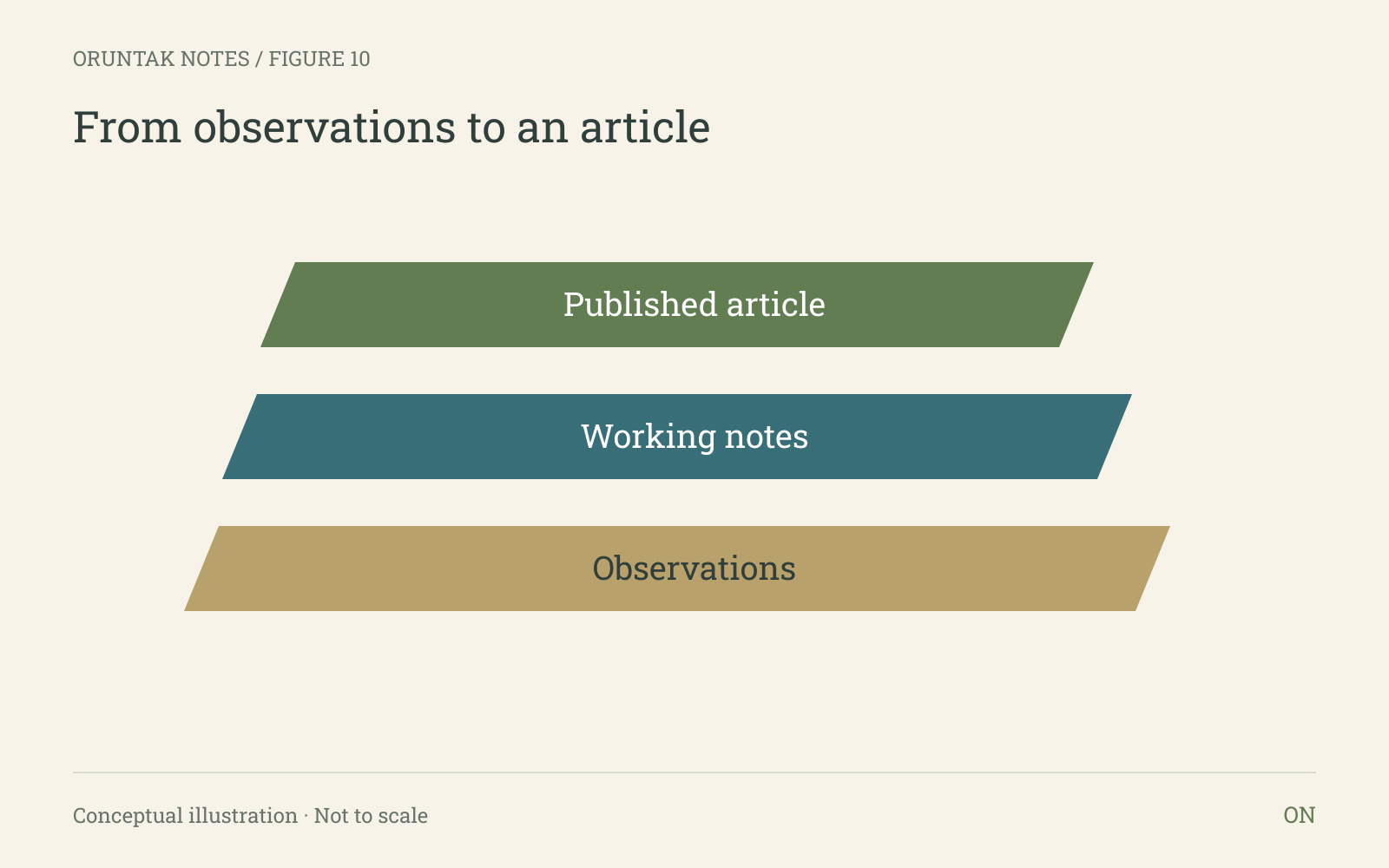
10 · From observations to an article
Use a layered diagram to show how a structure is assembled or how ideas build on one another.
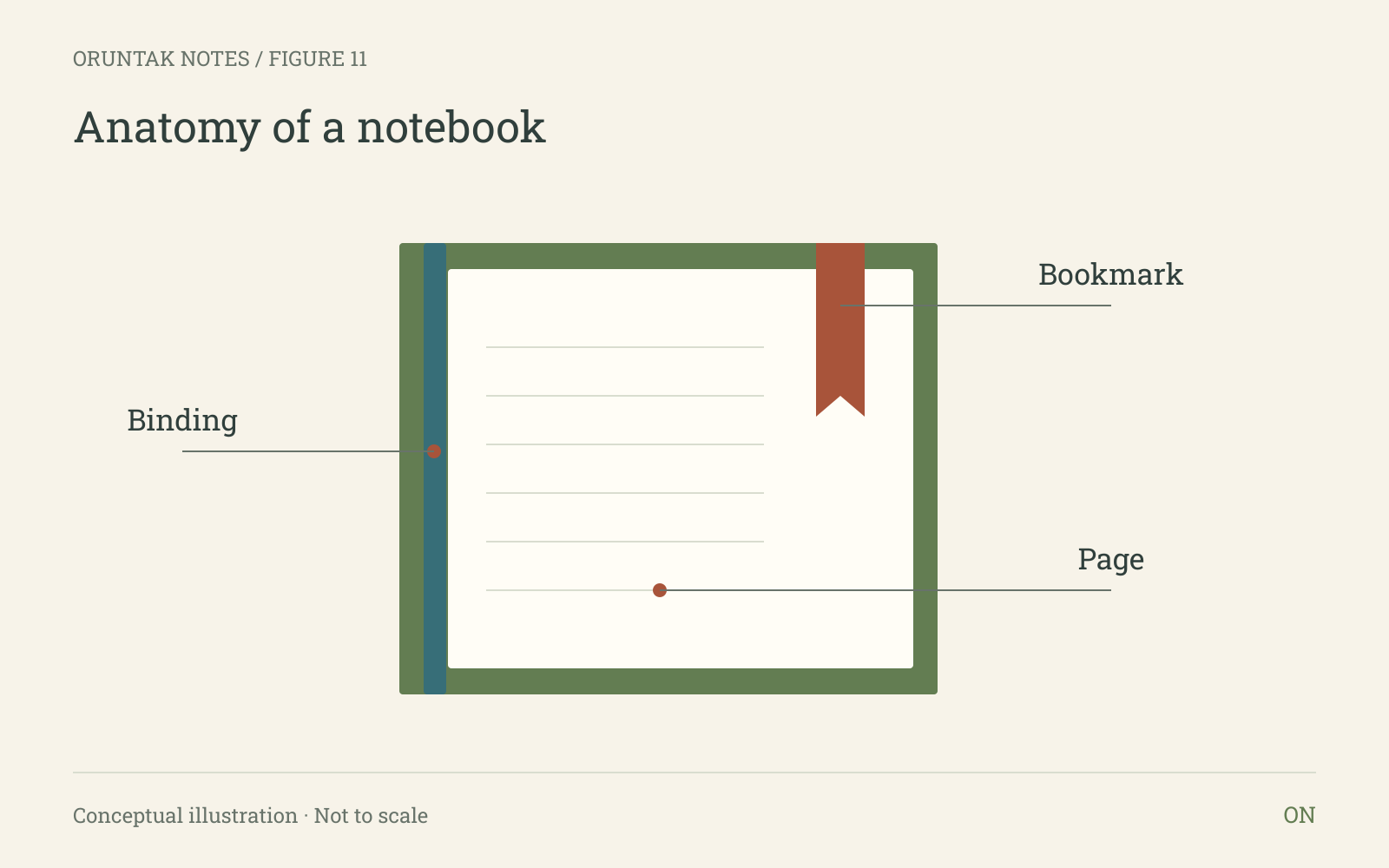
11 · Anatomy of a notebook
Use direct annotations to explain parts of an object or details within an illustration.
Keep the whole note
Every figure has an interactive version and a matching PNG image, with its title, units, labels, and source note inside the image. The caption and underlying data also live in the article. Nothing essential depends on a hover, a canvas, or a running chart library.
Obsidian saves image links by default. To keep a local copy, run “Download attachments for current file” in Obsidian after clipping. The offline download below includes Markdown, all eleven images, SVG originals, and the chart data as CSV tables. Other read-it-later apps may handle images or formatting differently.
The visual style lives in the images, so it travels with them. The surrounding page font, spacing, and theme belong to the reading app. SVG is available for editing and print; PNG is the default for saving and sharing.
Download offline reading kitMarkdown only
A collection that can grow
These eight templates cover change, comparison, relationships, distributions, intensity, composition, ranges, and processes. Future additions can include small multiples, slope charts, timelines, maps, annotated photographs, and research diagrams. They should share the same typography, palette, numbering, and source treatment, while choosing the visual form that suits the question.
Leave a trail for the reader
The best figure on a notebook page is one that can be read quickly and questioned gently. A source note, unit, scale, and uncertainty cue are part of the drawing.
Keep the invented examples visibly illustrative, then replace them with documented values only when you have a source worth naming.